

 Login
Login


 March 6, 2026
|
Voiced by Amazon Polly |
In the world of cloud computing, designing scalable, resilient, and responsive applications is paramount. Microsoft Azure offers a rich set of services that facilitate asynchronous communication patterns, broadly categorized into event-based and message-based solutions. While often used interchangeably, understanding the nuances between these approaches is crucial for architects and developers aiming to build robust distributed systems.
Start Learning In-Demand Tech Skills with Expert-Led Training
- Industry-Authorized Curriculum
- Expert-led Training
Event-Based Solutions: Reacting to What Happened
At its core, an event-based architecture revolves around the concept of events – immutable facts about something that has happened. Products emit events and consumers react to them without direct knowledge of each other. This decoupling is a hallmark of highly scalable and loosely coupled systems. Azure provides powerful services to implement event-driven patterns:
Azure Event Hubs
Azure Event Hubs is a highly scalable data streaming platform and event ingestion service that can receive and process millions of events per second. It’s designed for scenarios requiring high throughput, such as telemetry processing from IoT devices, application logging, or clickstream analytics.
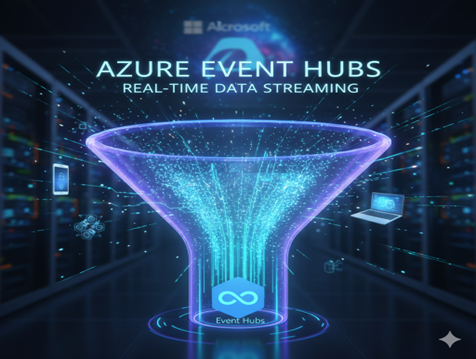
Azure Event Hubs enables high-throughput, real-time event streaming.
- Key Characteristics:
- High Throughput: Optimized for ingesting large volumes of data.
- Low Latency: Events are available for consumption almost immediately.
- Time Retention: Events are retained for a configurable period, allowing consumers to process them at their own pace or replay past events.
- Partitioning: Events are distributed across multiple partitions, enabling parallel processing by consumers.
- Use Cases: IoT data ingestion, real-time analytics pipelines, anomaly detection, big data processing.
Azure Event Grid
Azure Event Grid is a fully managed event routing service that simplifies event-driven application development. It enables you to easily build event-driven applications by subscribing to events from various Azure services (and custom sources) and routing them to different handlers.
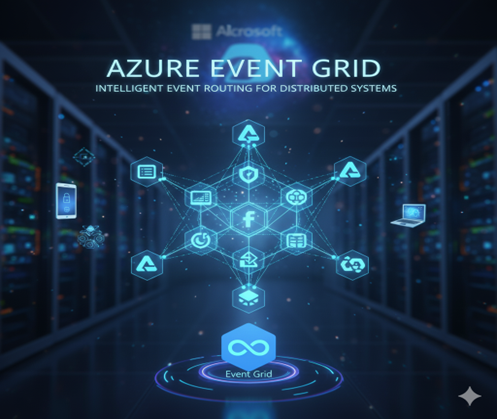
Azure Event Grid powers intelligent event routing in distributed systems.
- Key Characteristics:
- Event Routing: Filters and routes events to specific handlers.
- Publish-Subscribe Model: Enables many-to-many communication between publishers and subscribers.
- Broad Integration: Integrates seamlessly with numerous Azure services (Storage, Resource Groups, Azure Functions, Logic Apps, etc.) and custom webhooks.
- Fan-out Capabilities: A single event can trigger multiple handlers.
- Use Cases: Serverless automation, data replication, operational alerting, and integrating disparate systems.
Message-Based Solutions: Commanding What to Do
Message-based solutions, while asynchronous, typically involve messages that carry a command or a request for a specific action. Unlike events, messages often have an intended recipient (even if indirect) and imply a command. Azure‘s primary service for message-based communication is:
Azure Service Bus
Azure Service Bus is a fully managed enterprise integration message broker. It provides reliable, secure asynchronous message delivery between applications and services, even when services are offline or unavailable. Service Bus excels in scenarios requiring advanced messaging patterns and guaranteed delivery.
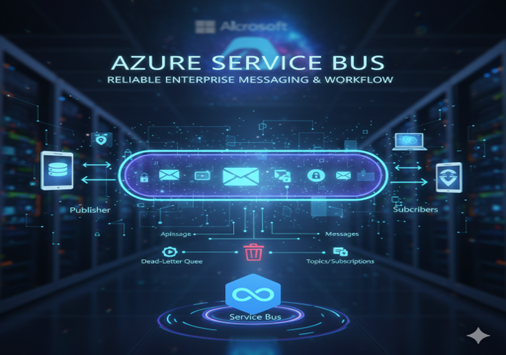
Azure Service Bus enables reliable enterprise messaging and workflow automation.
- Key Characteristics:
- Reliable Messaging: Guarantees “at-least-once” delivery, with features such as dead-lettering for unprocessable messages.
- Advanced Messaging Patterns: Supports queues (point-to-point) and topics/subscriptions (publish-subscribe with advanced filtering).
- Transactional: Allows grouping multiple messaging operations into an atomic unit.
- Message Sessions: Ensures ordered handling of related messages.
- Scheduled Messages: Enables messages to be delivered at a future time.
- Message Deferral: Allows a message to be temporarily taken off the queue and re-queued later.
- Use Cases: Order processing, financial transactions, workflow automation, enterprise application integration, durable messaging.
Key Differences and When to Use Which
The distinction between events and messages, and consequently between Event Hubs/Event Grid and Service Bus, lies primarily in their intent and characteristics:
- Events (What happened?):
- Immutable facts.
- No specific recipient.
- Focus on notification and reaction.
- Best for high-volume data streams (Event Hubs) or reactive automation (Event Grid).
- Consumers decide how to handle the event.
- Messages (What to do?):
- Commands or requests for action.
- Often has an intended recipient or consumer group.
- Focus on reliable delivery and processing of specific tasks.
- Best for enterprise integration, transactional workloads, and durable communication (Service Bus).
- Producers often expect a specific action to be taken.
A Practical Scenario
Consider an e-commerce platform:
- Event-Based: When a customer places an order, an “OrderPlaced” event can be published to Event Grid. This event can then trigger multiple actions:
- An Azure Function to update inventory.
- A Logic App to send a confirmation email.
- A custom webhook to update a CRM system.
- Simultaneously, clickstream data from user interactions might be streamed to Event Hubs for real-time analytics on user behavior.
- Message-Based: Once the order is placed, a message could be sent to an Azure Service Bus Queue to initiate the fulfilment process. This message might contain the order details and command the shipping department to “ProcessOrder.” If the shipping service is temporarily down, the message remains safely in the queue until the service is available, guaranteeing delivery and processing. Separate messages could also be sent for payment processing or fraud checks, each handled reliably.
Azure Messaging Architecture Insights
Azure’s event-based and message-based solutions provide a robust toolkit for building modern, distributed applications. By understanding the specific strengths of Azure Event Hubs, Event Grid, and Service Bus, developers can make informed architectural decisions, leading to systems that are not only scalable and performant but also resilient and easier to maintain. Choosing the right tool for the job ensures your applications can effectively communicate, react, and process information in the dynamic landscape of cloud computing.
Upskill Your Teams with Enterprise-Ready Tech Training Programs
- Team-wide Customizable Programs
- Measurable Business Outcomes
About CloudThat


WRITTEN BY Naved Ahmed Khan
Naved Ahmed Khan is a Research Associate with over 5+ years of experience in Cloud. He is an MCT and also the winner of Top 100 MCT Quality Awards Winner for 2024-25. Naved is known for adding humor into his training making it engaging and fun. He has a passion for IoT services because of his roots in Electrical & Electronics Engineering and his habit of reading fictional novels add an imaginative punch into his training method. With 12 certifications in Azure, he has trained over 1000+ individuals across different verticals like Infra & Architect, Security, Data and AI. His core skillset lies in Networking, Security, Python and Powershell.


 PREV
PREV












Comments