

 Login
Login


 March 23, 2026
|
Voiced by Amazon Polly |
Introduction
Learning Management Systems (LMS) like Moodle are widely used by universities, training institutes, and enterprises to manage and deliver online education platforms efficiently. These systems help organize course content, manage users, track progress, and enable communication between instructors and learners. With the growing demand for online learning, it is essential to deploy LMS platforms in a reliable, secure environment that can handle increasing user traffic.
In this guide, we will deploy Moodle on Amazon Web Services (AWS), which provides a flexible and scalable cloud environment. We will use Amazon EC2 for hosting the application
- Amazon RDS for database management
This setup ensures:
- Better database reliability
- Improved security
- Simplified management
- Production-ready deployment architecture
We will walk through the complete process, including database creation, Amazon EC2 setup, Moodle installation, and troubleshooting steps.
Pioneers in Cloud Consulting & Migration Services
- Reduced infrastructural costs
- Accelerated application deployment
Implementation Steps
- Create an Amazon RDS Database (MySQL 8.4.6)
Create an Amazon RDS instance with:
- Database Engine: MySQL
- Version: 8.4.6
- Configure username and password
- Allow inbound access from the Amazon EC2 security group
This database will store all Moodle-related data.
- Create an Amazon EC2 Instance
- Launch an Ubuntu-based EC2 instance
- Configure security group (allow SSH and HTTP)
- Download key pair
- Connect using PuTTY
This Amazon EC2 instance will host the Moodle application.
- Connect to EC2 and Install Moodle
After connecting to Amazon EC2 via PuTTY:
– Make sure to type sudo before every command.
# Update System Packages
sudo apt update
sudo apt upgrade -y
# Install Required Software (Apache, PHP, MySQL Client)
sudo apt install apache2 -y
sudo apt install php php-mysql php-xml php-gd php-curl php-intl php-zip php-mbstring -y
sudo apt install mysql-client -y
# Download Moodle
cd /var/www/html
sudo wget https://download.moodle.org/download.php/direct/stable500/moodle-latest-500.tgz
# Extract Moodle Files
sudo tar -zxvf moodle-latest-500.tgz
sudo mv moodle/* .
# Set Permissions
sudo chown -R www-data:www-data /var/www/html
sudo chmod -R 755 /var/www/html
# Restart Apache Server
sudo systemctl restart apache2
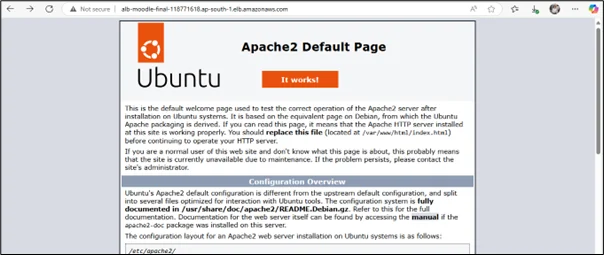
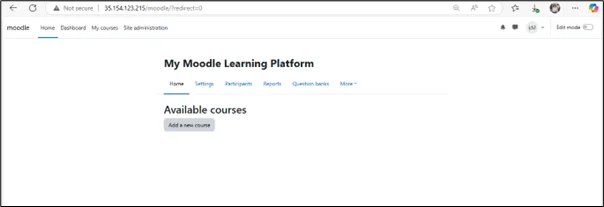
# Now open your browser:
http://<your-ec2-public-ip>
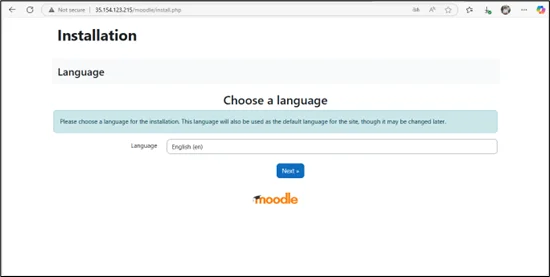
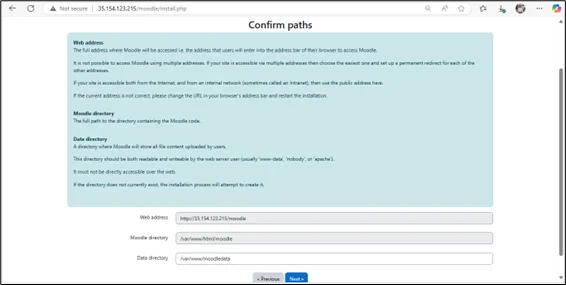
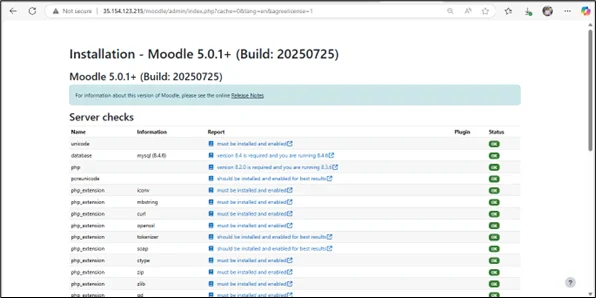
4. Configure High Availability and Scalability
To ensure the Moodle application can handle traffic efficiently and remain available during failures, set up AWS scaling and load balancing services.
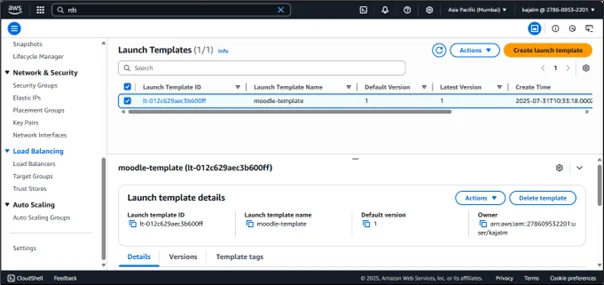
Create a Launch Template
Use the existing Amazon EC2 instance configuration to create a reusable template for launching multiple instances.
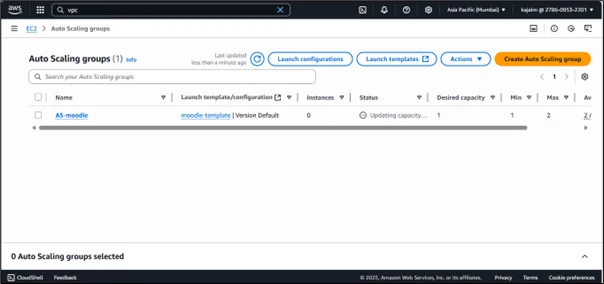
- Create an Auto Scaling Group
Attach the launch template and define minimum, maximum, and desired instance capacity. This automatically scales instances based on demand.
- Create a Target Group
Register Amazon EC2 instances so that incoming traffic can be routed correctly. - Create an Application Load Balancer
Attach the target group and configure listeners to distribute incoming traffic across multiple Amazon EC2 instances.
5. Fix Moodle Version Issue (If Blog Version is Outdated)
If the Moodle version mentioned in the reference blog is incorrect or corrupted, use the following commands:
cd /downloads
sudo rm moodle-latest-*.tgz # Remove any previously corrupted downloads
# Download the latest stable Moodle 5.0.1+ tarball
sudo wget https://download.moodle.org/download.php/direct/stable500/moodle-latest-500.tgz
# Verify file type (should say “gzip compressed data”)
file moodle-latest-500.tgz
# Extract it
tar -zxvf moodle-latest-500.tgz
These commands:
- Remove corrupted downloads
- Download the correct Moodle version
- Verify file integrity
- Extract installation files
6. Fix Database Connection Issue (If Moodle Cannot Connect)
If Moodle fails to connect to the database, manually configure MySQL:
sudo mysql
CREATE USER ‘admin’@’localhost’ IDENTIFIED BY ‘awsuser17’;
GRANT ALL PRIVILEGES ON moodle.* TO ‘admin’@’localhost’;
FLUSH PRIVILEGES;
This ensures that Moodle has proper database permissions.
7. Fix PHP Compatibility Issues (If Database Version Changed)
If Moodle still doesn’t work after the DB version update, run:
sudo apt update
sudo apt install software-properties-common -y
sudo add-apt-repository ppa:ondrej/php -y
sudo apt update
Conclusion
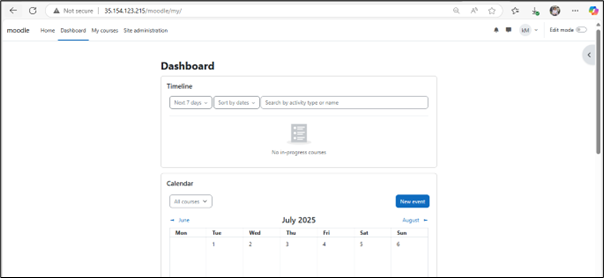
By integrating Amazon EC2 with Amazon RDS, we successfully deployed Moodle in a structured, production-ready manner. This approach separates the application and database layers, improving reliability and maintainability.
This setup serves as the foundation for a highly available, scalable Moodle architecture in AWS.
Drop a query if you have any questions regarding Amazon EC2 and we will get back to you quickly.
Empowering organizations to become ‘data driven’ enterprises with our Cloud experts.
- Reduced infrastructure costs
- Timely data-driven decisions
About CloudThat
FAQs
1. Why use Amazon RDS instead of MySQL on Amazon EC2?
ANS: – Amazon RDS is a managed database service that simplifies database administration tasks such as backups, patching, and scaling. Unlike running MySQL manually on an EC2 instance, RDS automatically handles routine maintenance, reducing operational overhead. It also provides built-in features such as automated backups, multi-AZ deployments for high availability, and enhanced security through AWS IAM integration and encryption. Using Amazon RDS provides better reliability, improved performance, and less manual effort than self-managing a MySQL database on Amazon EC2.
2. Why do we use sudo in every command?
ANS: – The sudo command is used to execute commands with administrative or root privileges in a Linux system. Most installation and configuration tasks, such as installing packages, modifying system files, or restarting services, require elevated permissions. Without sudo, these commands would fail due to insufficient access rights. Using sudo ensures that the required changes are applied correctly while maintaining system security by restricting full root access.
3. What if Moodle cannot connect to the database?
ANS: – If Moodle is unable to connect to the database, several factors should be checked carefully. First, verify that the Amazon RDS endpoint, database name, username, and password are correct. Next, ensure that the security group attached to the RDS instance allows inbound traffic on port 3306 from the Amazon EC2 instance. Additionally, confirm that the database user has the necessary privileges to access the Moodle database. Network connectivity between Amazon EC2 and Amazon RDS should also be validated. Troubleshooting these areas usually resolves most database connection issues.


WRITTEN BY Kajal Modhvadiya
Kajal Modhvadiya works as a Research Associate with a keen interest in cloud computing and modern software technologies. She possesses foundational skills in HTML, CSS, and JavaScript, and is continually exploring cloud platforms such as AWS. Kajal is passionate about learning and simplifying complex tech concepts for beginners. In her free time, she enjoys experimenting with new tools and technologies.


 PREV
PREV











Comments