

 Login
Login

 September 25, 2026
|
Voiced by Amazon Polly |
This guide explains how custom extensions connect Microsoft Entra ID Entitlement Management to Azure Logic Apps so you can automate access requests, approvals, and expirations. You’ll learn how the three lifecycle hooks work, walk through the five-step setup process, and see real-world use cases and best practices for production deployments.
As organizations scale, identity teams encounter access requirements that Entitlement Management’s built-in flow doesn’t fully cover. Microsoft Entra ID Entitlement Management already automates much of the access lifecycle through access packages, approval workflows, and time-bound assignments. But real-world access lifecycles are rarely one-size-fits-all; sometimes, you need to provision access in a third-party HR system, validate it against a compliance database, or log it in a ServiceNow ticket before granting it.
Custom extensions in Entitlement Management close this gap exactly. By connecting Entitlement Management to Azure Logic Apps, organizations can embed their business logic directly into the access lifecycle without building and maintaining a custom identity governance platform from scratch.
Start Learning In-Demand Tech Skills with Expert-Led Training
- Industry-Authorized Curriculum
- Expert-led Training
What Are Custom Extensions in Entitlement Management?
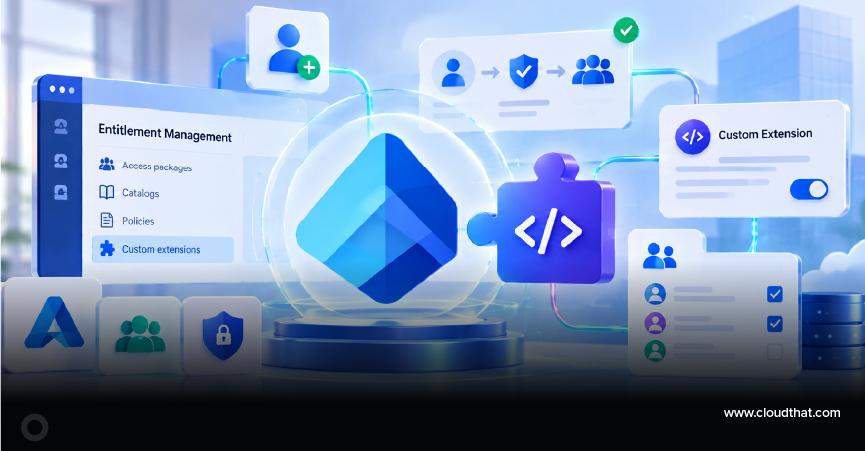
A custom extension attaches an automated workflow to a specific stage of the access package lifecycle. Instead of following only Microsoft’s built-in flow (request, approve, assign, review, expire), administrators can trigger their own Logic App at these three lifecycle events:
- Request stage: Validate the requester against an external system before the request moves to approval.
- Assignment stage: Provision the user automatically in a downstream application, database, or SaaS (software-as-a-service) tool as soon as the system grants access.
- Removal stage: Trigger de-provisioning tasks, revoke licenses, or notify a manager when access expires, or when someone removes it.
Each hook calls a Logic App that can talk to REST APIs, databases, IT Service Management (ITSM) tools, or any connector in the Azure Logic Apps ecosystem, including Microsoft Graph, ServiceNow, and SAP.
Why Use Logic Apps for Entitlement Management Automation?
Logic Apps fit this scenario because they let identity teams build governed automation without having to stand up a separate engineering project. Four capabilities make it a practical choice:
- Low-code, visual designer: Identity teams can build and maintain workflows without professional developer support.
- 400+ prebuilt connectors: Microsoft’s connector catalog covers Microsoft 365 and Teams alongside third-party HR and ticketing systems, so most integrations take a few clicks rather than custom code.
- Built-in retry policy: Logic Apps retries a failed action automatically under its default retry policy before it reports an error, which matters for identity workflows where a failed provisioning step should not silently break access.
- Native Azure integration: Logic Apps plugs directly into Entra ID’s custom extension framework through Azure Functions or HTTP-triggered workflows and secures the connection with managed identities rather than stored credentials.
A fifth benefit applies across all four: auditability. Logic Apps logs every run, supporting compliance and audit requirements for access governance.
How Does the Custom Extension Integration Work?
Setting up a custom extension takes five steps, from creating the Logic App to attaching it to a live access policy. Microsoft documents the full configuration process, including required permissions, in its Entra ID Governance documentation.
- Create the Logic App in Azure with an HTTP request trigger, or an Azure Function acting as the entry point.
- Define the workflow logic, for example, calling an external HR API to confirm employment status, or creating a ticket in an ITSM tool.
- Register the custom extension in Entra ID Identity Governance, specifying which lifecycle stage should trigger it: request, assignment, or removal.
- Attach the extension to an access package policy, so it fires automatically whenever a user moves through that stage.
- Secure the connection using Entra ID app registrations and managed identities, so only authorized calls can trigger the workflow.
Once administrators configure these five steps, the flow runs hands-off: a user requests access, Entitlement Management evaluates policy and approval requirements, and at the appropriate stage, the Logic App executes the custom business logic without manual intervention from IT.
What Are Real-World Use Cases for Custom Extensions?
Four patterns recur in production deployments of custom extensions: pre-approval verification, post-approval automation, just-in-time provisioning, and risk screening. Each maps to a different lifecycle stage.
- HR-verified access requests: Before granting access to a finance application, trigger a Logic App that checks the requester’s department and employment status in Workday or SAP SuccessFactors.
- Automated ticket creation: When the system assigns access, it opens a change record in ServiceNow automatically for audit tracking.
- Just-in-time provisioning: Provision a user account in a legacy on-premises application the moment the system approves their access package, using a Logic App connected through an on-premises data gateway.
- Risk-based validation: Call a third-party risk or fraud detection service before finalizing high-privilege access requests.
What Are the Best Practices for Implementing Custom Extensions?
Five practices reduce the failure points teams run into most often after they put custom extensions into production: idempotency, credentials, monitoring, timeouts, and documentation.
- Keep workflows idempotent: Since Logic Apps retries on failure, design each workflow so repeated calls don’t create duplicate records or accounts.
- Use managed identities: Authenticate between Entra ID and Logic Apps with managed identities instead of hardcoded credentials.
- Monitor the Logic App run history weekly or connect it to Azure Monitor and Microsoft Sentinel so a failed run raises an alert instead of going unnoticed.
- Set timeouts and fallback logic: A slow external system should time out rather than block the entire access request pipeline indefinitely; Microsoft recommends setting an explicit action timeout on every external call.
- Document each extension clearly, including which lifecycle stage it hooks into and which team owns it, since multiple teams may eventually rely on the same access packages and policies.
How Do You Get Started with Custom Extensions?
Custom extensions turn Entra ID Entitlement Management from a strong out-of-the-box governance tool into a fully extensible identity automation platform. Paired with Azure Logic Apps, identity teams can weave in organization-specific processes, including HR validation, ticketing, provisioning, and deprovisioning, without sacrificing the security, compliance, and auditability that Entitlement Management already provides.
Automate Identity Workflows
Custom extensions turn Entra ID Entitlement Management from a policy engine into a fully automated identity workflow. Start small: pick one lifecycle stage, build a single Logic App around it, and expand from there once you’ve validated the pattern in production.
Upskill Your Teams with Enterprise-Ready Tech Training Programs
- Team-wide Customizable Programs
- Measurable Business Outcomes
About CloudThat
FAQs
1. What is a custom extension in Microsoft Entra ID Entitlement Management?
ANS: – A custom extension triggers an external workflow, an Azure Logic App, or an Azure Function at a specific stage of the access lifecycle, such as request, assignment, or removal, so organizations can add their own business logic to identity governance processes.
2. Do I need Microsoft Entra ID Governance to use custom extensions?
ANS: – Yes. Custom extensions are part of Microsoft Entra ID Governance capabilities and require the appropriate licensing.
3. Can custom extensions call external, non-Microsoft systems?
ANS: – Yes. Because custom extensions run on Logic Apps or Azure Functions, they can call any REST API or use any available connector, including third-party HR systems, ITSM platforms, and custom-built APIs.
4. Is coding required to build a custom extension?
ANS: – Not necessarily. Logic Apps offers a low-code, drag-and-drop designer, so teams can build sophisticated workflows without extensive custom development, though complex validation logic may still benefit from an Azure Function.


WRITTEN BY Kunal Khadke
Kunal Khadke is a Subject Matter Expert and Microsoft Certified Trainer at CloudThat, with a strong focus on Microsoft Azure Infrastructure and security. With 10+ years of experience in cloud, he has trained over 5000 professionals. Kunal has a strong passion for empowering IT professionals and organizations on their cloud journey. He has hands-on experience in cloud architecture, deployment, and security. He delivers practical, real-world training that bridges the gap between certification and implementation. Kunal has trained professionals across industries, helping them master Azure services such as Virtual Networks, Azure Active Directory, Security, Networking, and more. Known for his clear teaching style and deep technical knowledge, Kunal is dedicated to shaping the next generation of cloud experts.


 PREV
PREV












Comments