

 Login
Login

 September 25, 2026
|
Voiced by Amazon Polly |
What Is Amazon GuardDuty AI Protection? A Complete Guide
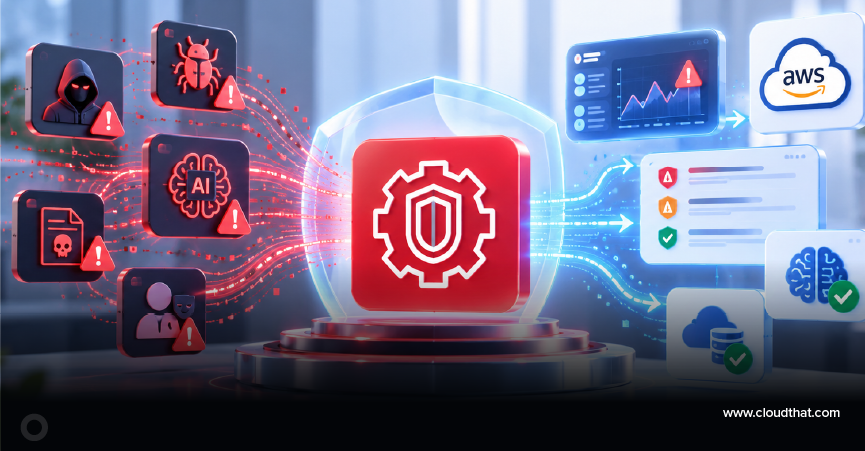
Most security teams monitoring AWS workloads have no visibility into what happens inside a foundation model call. Someone can send a malicious prompt to Amazon Bedrock or spin up an unusually expensive SageMaker AI invocation, and a standard CloudTrail setup won’t flag it as a threat. Amazon GuardDuty AI Protection closes that gap by monitoring traffic to and from your AI workloads and flagging activity that appears to be an attack.
Start Learning In-Demand Tech Skills with Expert-Led Training
- Industry-Authorized Curriculum
- Expert-led Training
What is Amazon GuardDuty AI Protection?
GuardDuty AI Protection is a GuardDuty protection plan that extends Amazon’s threat detection to AI workloads built on Amazon Bedrock, Amazon Bedrock AgentCore, and Amazon SageMaker AI. Once enabled, it analyzes AWS CloudTrail data events from these services, along with CloudTrail management events, to detect suspicious activity targeting foundation models and the applications that call them.
In plain terms, it’s the layer that watches who is calling your models, how often, from where, and with what, and raises a finding when that pattern looks malicious rather than normal usage.
How does GuardDuty AI Protection work?
GuardDuty AI Protection works by automatically streaming CloudTrail data events from your AI services into GuardDuty’s detection engine, then comparing that activity against a learned baseline of normal behavior for each identity and account. You don’t configure a trail or touch your application code, GuardDuty sets this up for you the moment you turn the plan on.
1. It sets up logging automatically
GuardDuty automatically begins collecting CloudTrail data events from AI services in monitored accounts without requiring you to create a trail, enable data event logging, or modify your AI applications. To do this, it creates an AWS CloudTrail service-linked channel in each monitored account, which streams data events for Bedrock, Bedrock AgentCore, and SageMaker AI to GuardDuty for analysis. Because GuardDuty owns this channel, the account owner cannot modify its settings, so detection doesn’t depend on someone remembering to configure or maintain a trail. You can confirm the channel is active from the CloudTrail console under Settings → Service-linked channels, or via the CloudTrail ListChannels API.
2. It uses two different detection methods
For anomalous invocation and cost-harvesting findings, GuardDuty runs an anomaly-detection machine-learning model that establishes a baseline of normal model-invocation activity for each IAM identity and account, then generates a finding when activity deviates significantly from that baseline. For direct prompt injection findings, GuardDuty instead generates a finding when Amazon Bedrock Guardrails evaluates a prompt, detects a prompt attack, and produces the resulting CloudTrail data event. This detection depends on Guardrails being in place.
What threats does GuardDuty AI Protection detect?
GuardDuty AI Protection currently detects three categories of threats: anomalous model invocations, cost-harvesting attacks, and direct prompt-injection attempts. Each maps to a distinct finding type, and each tells you something different about how your AI workload is being misused.
1. Anomalous model invocations
This covers invocations of Bedrock or SageMaker AI models that deviate from an identity’s or account’s established baseline, for example, calls from an unusual IP address, an unusual API, or a model that the identity doesn’t normally use. This is often the first sign of compromised credentials being used to probe your AI resources.
2. Cost harvesting attacks
Here, a threat actor sends computationally expensive inputs to a Bedrock or SageMaker AI model specifically to inflate token consumption and drive up the account’s operating costs. If left undetected, this can lead to a very expensive AWS bill before anyone notices.
3. Direct prompt injection attempts
This is when a threat actor crafts a malicious prompt designed to make a foundation model ignore its original instructions. It’s a targeted attempt to bypass the guardrails your application relies on, and it’s the one detection that comes with a hard requirement.
Note: direct prompt injection detection requires Amazon Bedrock Guardrails and only applies to Bedrock workloads. If you haven’t enforced Guardrails, GuardDuty simply has no signal to work from for this finding type. CloudThat’s AWS Security engagements typically start by checking exactly this, whether Guardrails is enforced consistently before AI Protection is switched on, since a protection plan is only as strong as the controls feeding it.
How much does GuardDuty AI Protection cost?
GuardDuty AI Protection is priced based on the volume of CloudTrail data events it analyzes, measured in GB, not by seats, models, or a flat monthly fee. GuardDuty charges for the volume of CloudTrail data events it analyzes and creates the service-linked channel at no additional CloudTrail charge; that collection cost is folded into your AI Protection usage cost. You’ll also continue paying the standard usage costs for GuardDuty itself and any other protection plans you have enabled. For current rates, check the official Amazon GuardDuty pricing page before budgeting for a rollout.
What other AI threat detection does GuardDuty offer besides AI Protection?
Beyond the AI Protection plan itself, GuardDuty’s Foundational and Lambda Protection plans also surface threats associated with AI workloads, even in accounts where AI Protection isn’t enabled.
The Foundational plan monitors CloudTrail management events to catch suspicious activity in AI workloads built with services like Bedrock and SageMaker AI, including things like unusual removal of Bedrock security guardrails, changes to a model’s training data source that could indicate data poisoning, disabled logging on Bedrock model invocations, unusual notebook or training-job creation in SageMaker AI, and exfiltrated EC2 credentials being used to call AI service APIs.
Lambda Protection, meanwhile, can flag threats associated with Bedrock agents, including suspicious network activity such as cryptomining or communication with command-and-control servers, that can result from a supply chain attack or complex prompting.
How do you enable GuardDuty AI Protection?
You enable it at the account level, and the setup path depends on whether you’re managing a single AWS account or multiple accounts. For a single account, you can turn AI Protection on directly in the GuardDuty console or via the API. For an organization with multiple accounts, AWS recommends enabling it centrally through your GuardDuty delegated administrator so that every member account is covered without manual setup in each.
The AWS Security team has walked several enterprise clients through exactly this rollout, and the pattern that works best is to enable Bedrock Guardrails organization-wide before switching on AI Protection. That way, prompt injection findings are live from day one, rather than showing gaps for accounts still catching up.
Getting Started
GuardDuty AI Protection gives security teams a way to monitor AI workloads without adding logging overhead or waiting for an incident to reveal a gap. If you’re running Bedrock or SageMaker AI in production and haven’t enabled it yet, the fastest way to close that blind spot is to enforce Bedrock Guardrails organization-wide and turn AI Protection on through your GuardDuty delegated administrator.
Upskill Your Teams with Enterprise-Ready Tech Training Programs
- Team-wide Customizable Programs
- Measurable Business Outcomes
About CloudThat
FAQs
1. Does GuardDuty AI Protection require any changes to my AI application code?
ANS: – No. GuardDuty creates and manages its own CloudTrail service-linked channel to collect the data events it needs, so you don’t need to enable data event logging, create a trail, or modify how your Bedrock or SageMaker AI applications call their models.
2. Can GuardDuty detect prompt injection without Amazon Bedrock Guardrails?
ANS: – No. Direct prompt injection detection depends entirely on Bedrock Guardrails evaluating the prompt and flagging the attack; without Guardrails enforced, GuardDuty has no CloudTrail signal to generate that specific finding type from.
3. Is GuardDuty AI Protection available for SageMaker AI in every AWS Region?
ANS: – Not identically everywhere. Some finding types depend on which AI services are available in a given Region — where Bedrock isn’t available, anomalous invocation and cost harvesting findings are generated from SageMaker AI activity alone, and prompt injection findings aren’t generated at all where Bedrock Guardrails isn’t supported.
4. How is GuardDuty AI Protection priced?
ANS: – It’s billed by the volume of CloudTrail data events GuardDuty analyzes, in GB, on top of your standard GuardDuty and other protection plan costs. There’s no separate charge for the service-linked channel GuardDuty creates to collect that data.


WRITTEN BY Abhijit Dilip Powar
Abhijit Dilip Powar is a Senior Vertical Head at CloudThat Technologies Private Limited, specializing in Cloud Architecting and Security. With 21 years of experience in industry and academics, he has trained over 10K professionals/students to upskill in Cloud Architecting and Security. Known for delivery skills customization as per the participants attending the trainings, he brings deep technical knowledge and practical application into every learning experience. Abhijit's passion for teaching reflects in his unique approach to learning and development.


 PREV
PREV






Comments