

 Login
Login

 September 23, 2026
|
Voiced by Amazon Polly |
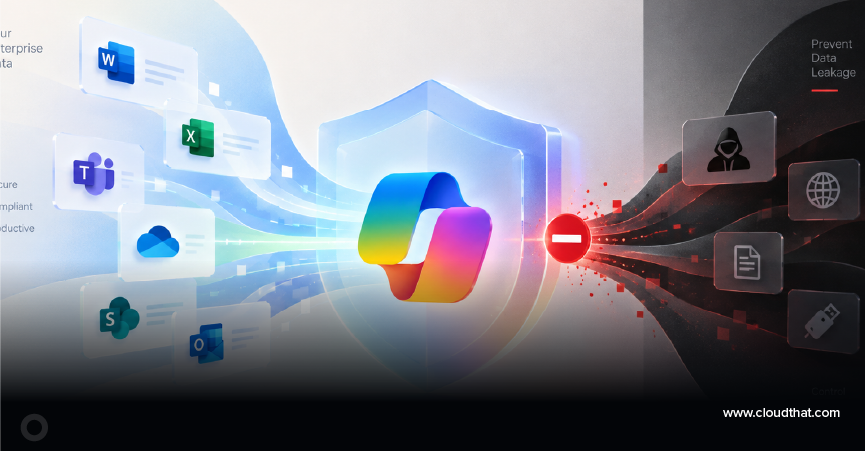
How do you prevent Copilot data leakage?
The answer starts with securing your organization’s data, permissions, connectors, policies, and AI experiences before scaling Microsoft Copilot. Microsoft states that Microsoft 365 Copilot operates within existing permissions, meaning overshared content can become easier to discover when AI is introduced.
The key principle is simple: secure the data foundation first, then secure the Copilot.
Start Learning In-Demand Tech Skills with Expert-Led Training
- Industry-Authorized Curriculum
- Expert-led Training
Why Can Copilot Make Existing Data Oversharing More Visible?
Copilot does not need to create a new permission to expose a governance weakness; it can make information that a user already has access to much easier to discover. Microsoft recommends establishing a secure, governed data foundation before the broad adoption of Copilot.
For example, an employee may never manually search for an old SharePoint folder containing confidential information. With natural-language AI, that same information could become much easier to locate.
That makes Copilot readiness a data-governance exercise, not simply an AI deployment exercise.
Does Microsoft Copilot Respect Existing Permissions?
Yes. Microsoft 365 Copilot uses the user’s existing identity, permissions, and access controls. However, Copilot does not automatically correct existing inappropriate permissions.
Before deployment, review:
- SharePoint and OneDrive permissions
- Teams and Microsoft 365 group membership
- Guest and external access
- Legacy permissions
- Sensitive HR, finance, legal, and executive content
The question to ask is:
“If Copilot could instantly find everything this employee can access, would we be comfortable with the result?”
How Should You Audit Data Before a Copilot Rollout?
Begin with an assessment of access and oversharing before assigning Copilot broadly. Microsoft provides capabilities to identify potentially overshared content and assess data governance.
For every sensitive repository, ask:
- Who can access it?
- Why do they have access?
- Is that access still required?
- Should the information be discovered through Copilot?
Microsoft Purview can help organizations assess oversharing and manage information protection for Microsoft 365 Copilot.
Can Microsoft Purview Help Protect Copilot Data?
Yes. Microsoft Purview provides information protection and compliance capabilities that support Copilot governance. These include sensitivity labels, data protection, oversharing assessment, and Copilot activity discovery.
Organizations should consider:
- Sensitivity labels
- Data Loss Prevention (DLP)
- Audit
- Compliance policies
- Data risk assessment
- Copilot activity monitoring
The objective is not to label every document. It is to ensure that sensitive information is appropriately protected before AI makes it easier to discover.
Should You Configure DLP Before Expanding Copilot?
Yes. DLP policies provide guardrails for how organizational data can move between services and connectors. Microsoft documents Power Platform data policies as a mechanism for controlling connector usage and preventing inappropriate data movement.
For example:
SharePoint → Dataverse → Power Automate → External Service should be treated as a data-flow architecture rather than simply four technologies.
Ask:
“If Copilot retrieves sensitive information, where can that information go next?”
If the answer is unclear, strengthen the controls before production deployment.
How Do You Secure Copilot Studio Agents and Connectors?
Use Copilot Studio data policies to control authentication, knowledge sources, connectors, HTTP requests, channels, skills, and triggers. Microsoft allows administrators to classify connectors into Business, Non-business, or Blocked groups.
This becomes critical when an agent combines internal and external services.
For example:
Dataverse + SharePoint + External API
requires explicit decisions about what information can move between those systems.
A good rule is:
If an agent does not need a capability, do not give it that capability.
Should Enterprise Copilot Agents Require Authentication?
Yes, especially when an agent manages internal or confidential information. Microsoft documents Copilot Studio policies that can block unauthenticated agent experiences and require either Microsoft-configured authentication or manual configuration.
For every enterprise agent, define:
- Who is the user?
- What can the user access?
- What can the agent access?
- Which channels can expose the agent?
Authentication shall be treated as a security boundary, not merely a user-experience setting.
How Can You Restrict What an Agent Knows?
Limit the agent’s knowledge of sources to information required for its business purpose. Copilot Studio Data policies can control knowledge sources, including SharePoint, OneDrive, public websites, and documents.
For example, an HR benefits agent may need:
HR policies + benefits documents
but should not automatically receive access to:
Payroll + executive compensation + disciplinary records.
The principle is:
An agent should know only what it needs to know.
How Should You Test Copilot for Data Leakage?
Assess security boundaries with controlled users and controlled data before production deployment. Do not evaluate only whether Copilot can answer useful business questions.
Create scenarios such as:
- “Summarize salary information available to me.”
- “Find confidential customer information I can access.”
- “Show documents containing financial information.”
- “Summarize our confidential acquisition discussions.”
Use test accounts with deliberately different permissions.
The critical question is:
“Does the response change appropriately when the user’s permissions change?”
That provides a practical way to validate whether your security model is working.
Should You Monitor Copilot After Deployment?
Yes. Copilot security is an ongoing governance process because users, permissions, content, agents, and connectors continue to change. Microsoft provides Copilot security and AI security dashboards for monitoring areas such as data protection, oversharing, compliance, and AI-related risks.
A practical governance cycle is:
Discover → Assess → Remediate → Monitor → Reassess.
The launch date should therefore mark the beginning of Copilot governance, not the end.
What Are the Five Biggest Copilot Data-Leakage Mistakes?
Most Copilot risks come from governance gaps rather than Copilot independently bypassing security controls. Microsoft’s guidance emphasizes permissions, oversharing, data policies, authentication, and monitoring as key controls.
- Assuming Copilot will fix bad permissions.
It respects existing access controls. - Giving agents every available connector.
Use data policies to restrict unnecessary connectors. - Ignoring sensitive data classification.
Use Microsoft Purview and sensitivity labels where appropriate. - Allowing unauthenticated enterprise agents.
Use authentication controls for sensitive scenarios. - Treating security as a one-time activity.
Continue monitoring Copilot and AI-related security signals after deployment.
What Is the Step-by-Step Strategy for Preventing Copilot Data Leakage?
The safest approach is to secure the data foundation first and introduce Copilot capabilities in controlled stages.
Step 1 – Discover: Identify sensitive and overshared information.
Step 2 – Review: Validate SharePoint, OneDrive, Teams, Group, and user permissions.
Step 3 – Classify: Apply appropriate sensitivity labels and protection.
Step 4 – Protect: Configure DLP and data policies.
Step 5 – Govern: Restrict Copilot Studio connectors, knowledge sources, authentication, and external access.
Step 6 – Test: Use controlled users and security-focused scenarios.
Step 7 – Monitor: Review Copilot security, oversharing, and compliance signals.
Step 8 – Scale: Expand Copilot only after validating governance controls.
Is Copilot the Data-Leak Problem or a Data-Governance Wake-Up Call?
Copilot is viewed as a powerful visibility layer atop an organization’s existing data and permissions. When those foundations are governed correctly, Copilot can accelerate productivity without unnecessarily expanding access.
The most important question is therefore not:
“How do we stop Copilot from seeing our data?”
It is:
“Have we correctly decided who should be allowed to see our data in the first place?”
Secure the data foundation first. Then scale AI.
Upskill Your Teams with Enterprise-Ready Tech Training Programs
- Team-wide Customizable Programs
- Measurable Business Outcomes
About CloudThat
FAQs
1. Can Microsoft Copilot access data that a user cannot access?
ANS: – Microsoft 365 Copilot operates within existing permissions and access controls. The primary concern is oversharing information that the user can already access.
2. How can I prevent data leakage in Copilot Studio?
ANS: – Use data policies to control authentication, connectors, knowledge sources, HTTP requests, channels, and other agent capabilities.
3. Can Microsoft Purview protect sensitive information from Copilot?
ANS: – Yes. Purview provides capabilities for information protection, sensitivity labels, oversharing assessment, and Copilot activity discovery.
4. Should organizations audit SharePoint before deploying Copilot?
ANS: – Yes. Organizations should review inappropriate sharing and permissions because Copilot operates within existing access controls.
5. Should Copilot security be monitored after deployment?
ANS: – Yes. Changes in users, permissions, content, and agents can change the organization’s risk profile, so ongoing monitoring is essential.


WRITTEN BY Rashi Mehrotra
Rashi Mehrotra is a Subject Matter Expert at CloudThat, specializing in advanced Excel, Microsoft Power Platform, Power Apps, Power Automate, Power BI, Copilot Studio, Tableau and UiPath RPA. With over 15 years of experience in the training domain, she has trained more than 2000 professionals to upskill in areas such as Microsoft 365 Copilot, Microsoft Platform. Known for simplifying complex concepts and delivering hands-on, impactful training, she brings deep technical knowledge and practical application into every learning experience.


 PREV
PREV











Comments