

 Login
Login


 September 10, 2025
|
Voiced by Amazon Polly |
Managing Azure infrastructure manually is time-consuming and often prone to human error. By leveraging Azure Automation Runbook with PowerShell, you can automate repetitive cloud tasks, streamline operations, and improve governance. From controlling VM power states to managing RBAC roles and applying resource locks, automation ensures consistency while significantly reducing costs.
Start Learning In-Demand Tech Skills with Expert-Led Training
- Industry-Authorized Curriculum
- Expert-led Training
Why Automate Azure Tasks with Runbooks?
- Cloud operations teams frequently juggle tasks such as starting/stopping VMs, granting temporary access, or cleaning up unused resources. Without automation, these activities consume time and increase the risk of configuration drift.
With PowerShell Runbook script, you can:
- Schedule VM start/stop operations for cost efficiency.
- Grant or revoke access using Azure RBAC automation.
- Apply read-only locks to prevent unwanted changes.
- Clean up test environments to avoid wasted spend.
Explore how azure automation runbook aligns with your Azure product deployments to save time and resources.
Check out blog on PowerShell scripting
Common Automation Use Cases
- Schedule VM Start Stop Azure
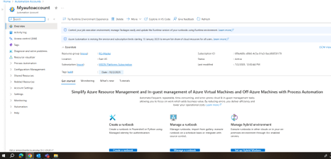
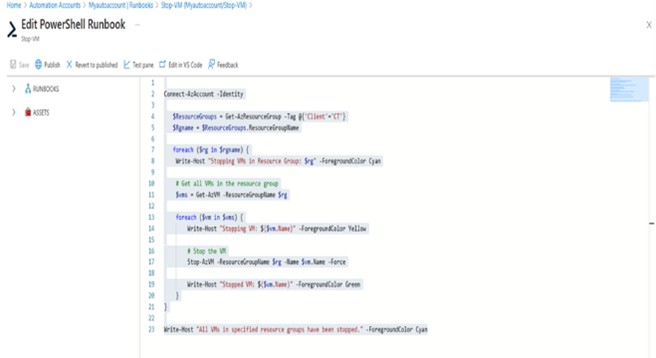
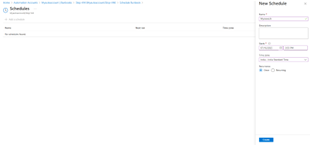
One of the most effective ways to optimize cloud spend is to automatically power off non-production VMs during off-hours. By creating a scheduled runbook, you can start VMs during business hours and shut them down after hours. This ensures developers get the resources they need without burning unnecessary costs overnight.
- Azure RBAC Automation
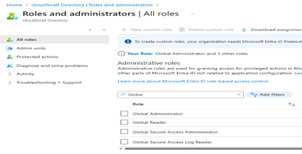
Access control is a critical security responsibility. Automation makes it possible to grant temporary contributor access during working hours and revoke it afterward. This reduces exposure to security risks while ensuring just-in-time access control.
- Resource Cleanup and Governance
Test environments often accumulate unused resources. With a PowerShell Runbook script, you can automatically delete all resources in a resource group at the end of the day. This not only saves costs but also keeps your environment tidy and compliant.
Similarly, applying and removing read-only locks ensures production resources are safeguarded from accidental modifications while still allowing flexibility during deployment windows.
Best Practices for PowerShell Runbooks
- Always test runbooks in a staging environment before deploying in production.
- Use dedicated runbooks for specific tasks (VM operations, RBAC, locks) to maintain modularity.
- Monitor runbook execution logs and set up alerts for failures.
- Grant your managed identity only the permissions it requires.
If you’re planning to boost your Azure automation using PowerShell skills, check out CloudThat course for windows and cloud professionals.
Conclusion
Automation is no longer optional in modern cloud operations. By scheduling tasks with Azure Automation Runbook, teams save costs, improve security, and reduce manual effort. Whether it’s Schedule VM Start Stop Azure, handling temporary role assignments with Azure RBAC automation, or applying governance controls, automation ensures your Azure environment runs smarter and more efficiently.
Upskill Your Teams with Enterprise-Ready Tech Training Programs
- Team-wide Customizable Programs
- Measurable Business Outcomes
About CloudThat


WRITTEN BY Naveen H
Dr.Naveen H is a Vertical Head Azure Infra/Arch at CloudThat, specializing in Azure and PowerShell training. With 15 years of experience in training, academics and research, he have trained over 2000+ professionals/students to upskill in Azure Administrator, Azure Network, PowerShell, Windows server and Azure security courses. Known for simplifying complex concepts, and hands-on training, he brings deep technical knowledge and practical application into every learning experience. He was recognised as Top 100 MCT Awards by Microsoft in year 2024. Naveen's passion for technology and reading novel reflects in his unique approach to learning and development.


 PREV
PREV












Comments