

 Login
Login


 June 18, 2026
|
Voiced by Amazon Polly |
Modern DevOps teams are expected to move fast without compromising reliability, security, or governance. That creates constant pressure across CI/CD pipelines, Infrastructure-as-Code (IaC), container platforms, observability stacks, and incident workflows. This is where GitHub Copilot becomes highly relevant for DevOps practitioners.
While many associate Copilot with application developers, its real value extends deeply into platform engineering and operations. From authoring YAML pipelines to generating Terraform modules and troubleshooting shell scripts, GitHub Copilot for DevOps helps reduce repetitive effort and improve delivery velocity.
In this blog, we will examine where Copilot fits into the DevOps lifecycle, practical use cases, guardrails, and how engineers can use it effectively.
Start Learning In-Demand Tech Skills with Expert-Led Training
- Industry-Authorized Curriculum
- Expert-led Training
Why DevOps Engineers Need AI Assistance
DevOps work often involves context switching between multiple tools:
- CI/CD pipelines
- Kubernetes manifests
- Terraform or Bicep templates
- Bash or PowerShell automation
- Monitoring queries
- Security controls
- Documentation and runbooks
Unlike pure software development, DevOps engineers operate across systems, syntax, and environments. Writing infrastructure definitions or debugging pipeline failures can consume substantial time. GitHub Copilot accelerates these tasks with context-aware suggestions.
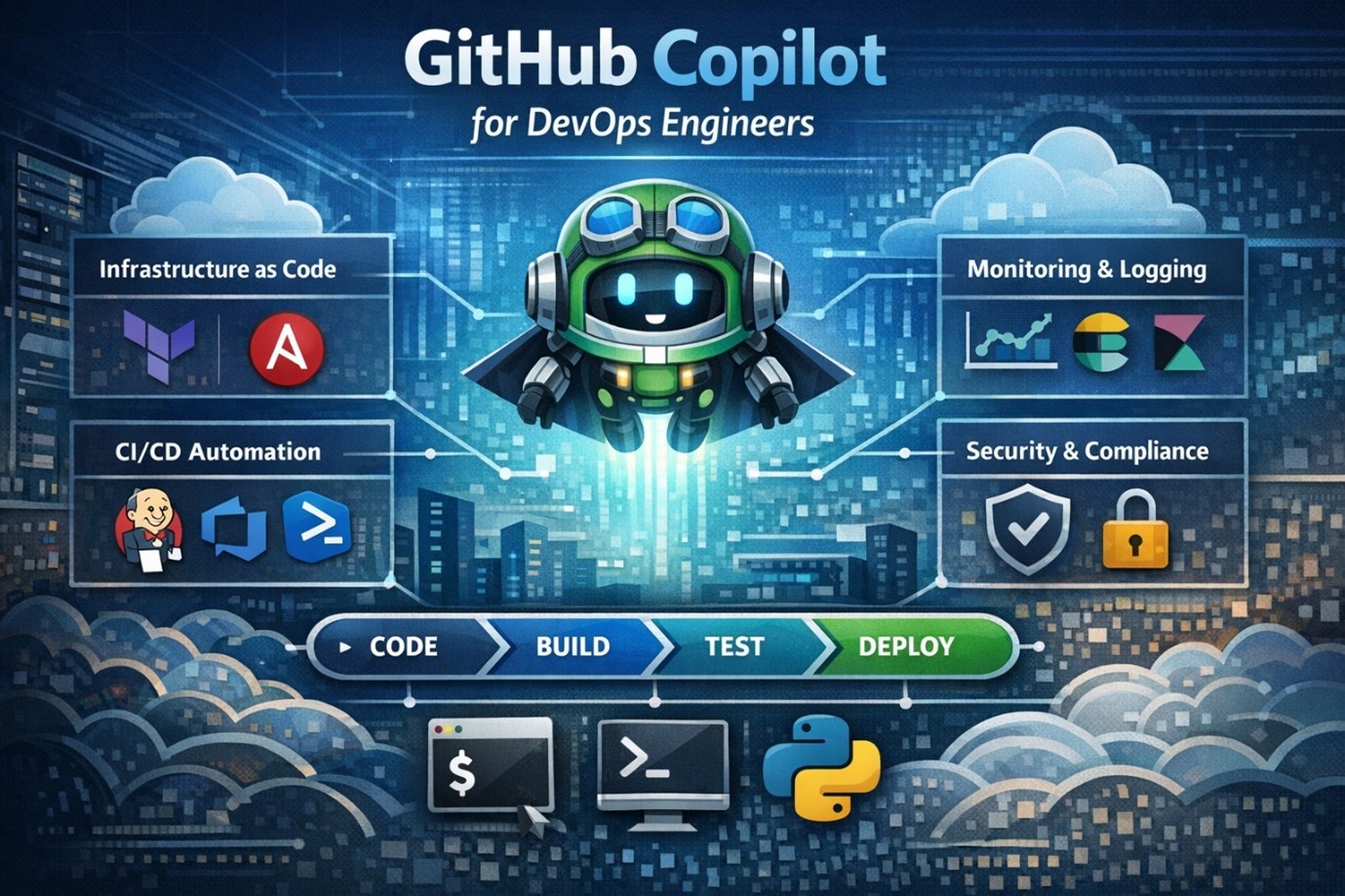
Fig 1: GitHub Copilot for DevOps Engineers.
Key Use Cases of GitHub Copilot for DevOps Engineers
- CI/CD Pipeline Authoring
Creating YAML pipelines manually can be time-consuming, especially when handling stages, approvals, matrices, artifacts, and conditions.
Copilot can generate starter pipelines for:
- GitHub Actions workflows
- Azure DevOps pipelines
- Multi-stage release flows
- Container image build and push jobs
- Security scan stages
Example prompt:
Create an Azure DevOps pipeline to build a .NET app, run tests, publish artifacts, and deploy to staging.
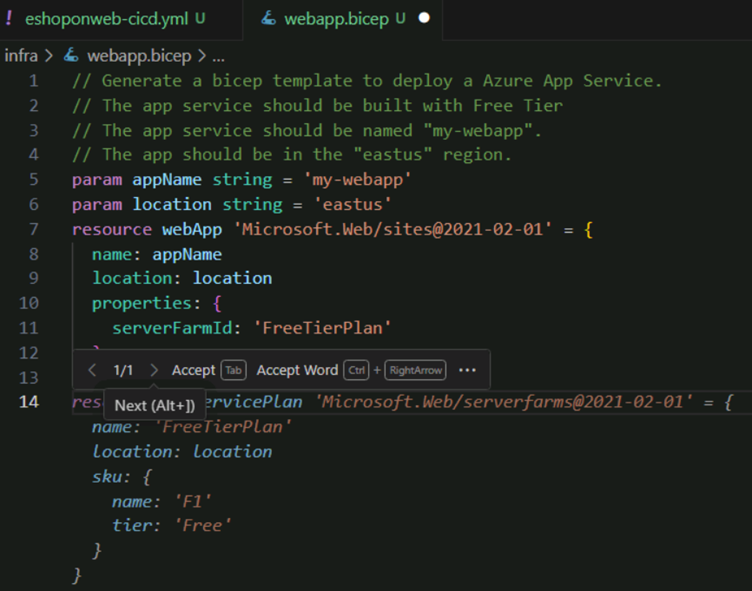
Fig 2: Generating a Multistage CI-CD Pipeline with GitHub Copilot with Comments.
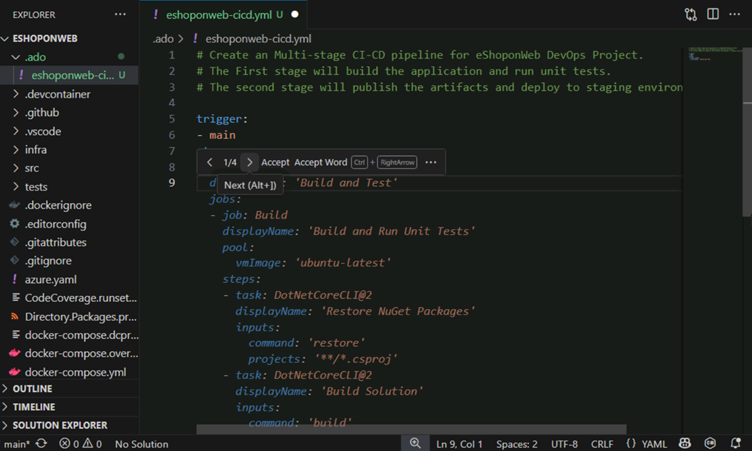
Fig 3: Copilot accelerates Azure DevOps CI/CD pipeline creation.
For engineers learning pipelines, this significantly shortens setup time.
- Infrastructure as Code (IaC)
DevOps teams frequently manage infrastructure using Terraform, Bicep, ARM templates, or Pulumi.
Copilot can help generate:
- Virtual networks
- AKS / Kubernetes clusters
- IAM roles and policies
- Storage resources
- Reusable modules
For teams working on Microsoft cloud platforms, combining Copilot with structured learning paths such as Azure DevOps and GH-300 training programs can improve GitHub Copilot and IaC maturity over time.
Fig 4: Generating bicep template using GitHub Copilot to deploy Azure App Service.
- Kubernetes and Containers
Kubernetes YAML is verbose and error-prone. A missing indentation or selector mismatch can break deployments.
Copilot assists with:
- Deployments
- Services
- Ingress definitions
- ConfigMaps
- Helm chart snippets
- Resource limits and probes
It can also explain existing manifests, which is valuable during handovers or production support.
- Shell and Automation Scripts
Many DevOps engineers rely heavily on Bash or PowerShell. Copilot can draft scripts for:
- Log cleanup
- Disk monitoring
- Backup jobs
- Cron automation
- Certificate rotation
- Bulk file operations
Instead of repeatedly searching for syntax, engineers can focus on logic and validation.
- Incident Response and Troubleshooting
During incidents, time matters. Copilot can help interpret logs, suggest commands, and summarize failing code blocks.
Examples:
- Explain why a Docker container exits immediately
- Diagnose Kubernetes CrashLoopBackOff causes
- Review failing pipeline YAML
- Analyze permission denied errors in scripts
Copilot should not replace engineering judgment, but it can accelerate first-level triage.
Best Practices for Using GitHub Copilot in DevOps
To maximize value, use Copilot with discipline:
- Provide Clear Prompts
- Poor prompts create poor output. Include platform, language, and expected behavior.
- Review Every Suggestion
- Generated IaC or scripts must be reviewed before execution.
- Protect Secrets
- Never paste production secrets, tokens, or private credentials into prompts.
- Combine with Internal Standards
- Use your organization’s naming conventions, modules, policies, and governance controls.
- Use Version Control
- All Copilot-generated pipeline or infrastructure changes should pass through pull requests and peer review.
- Custom Instructions
- Create a structured instruction set that guides GitHub Copilot’s behavior and responses within defined DevOps scenarios.
Where Copilot Adds the Most Value
Copilot is especially effective when tasks are repetitive or syntax-heavy:
- Writing boilerplate YAML
- Creating templates
- Refactoring scripts
- Explaining unfamiliar configs
- Drafting documentation
- Generating test scenarios for pipelines
It is less effective for architecture decisions that require business context, compliance review, or production risk evaluation.
Limitations DevOps Teams Must Understand
Even strong AI suggestions may contain:
- Deprecated syntax
- Incorrect permissions
- Inefficient configurations
- Missing security hardening
- Environment assumptions
This means Copilot should be treated as an accelerator, not an autonomous operator.
Future of AI DevOps
GitHub Copilot for DevOps Engineers is more than a coding assistant. It is a productivity layer across pipelines, IaC, scripting, Kubernetes, and troubleshooting workflows. Teams that use it carefully can reduce manual effort and spend more time on resilience, automation strategy, and platform engineering.
As DevOps practices continue evolving, engineers who learn to collaborate effectively with AI tools will likely gain a meaningful operational advantage.
Upskill Your Teams with Enterprise-Ready Tech Training Programs
- Team-wide Customizable Programs
- Measurable Business Outcomes
About CloudThat


WRITTEN BY Pramod Sunagar
Dr. Pramod Sunagar is a Subject Matter Expert and Microsoft Certified Trainer at CloudThat, specializing in Microsoft Azure, DevOps, and GitHub Copilot. With over 12 years of experience in academics and corporate training, he has upskilled more than 2,500 learners through immersive, hands-on sessions. Dr. Sunagar is widely recognized for simplifying complex cloud and DevOps concepts through real-world examples, guided labs and a highly interactive delivery style. His approach blends academic depth with practical application, enabling professionals to confidently apply skills in real-world projects. Backed by a Ph.D. in Text Analytics and multiple Azure certifications, he delivers training across a wide range of roles—from beginners to advanced developers—focusing on certifications such as AZ-400, AZ-204, AZ-900, AI-102, GitHub Copilot, AI-900, DP-900 and SC-900. His passion for teaching, combined with a commitment to learner success, makes him a highly trusted mentor in the cloud and DevOps learning space.


 PREV
PREV












Comments