

 Login
Login

 September 25, 2026
|
Voiced by Amazon Polly |
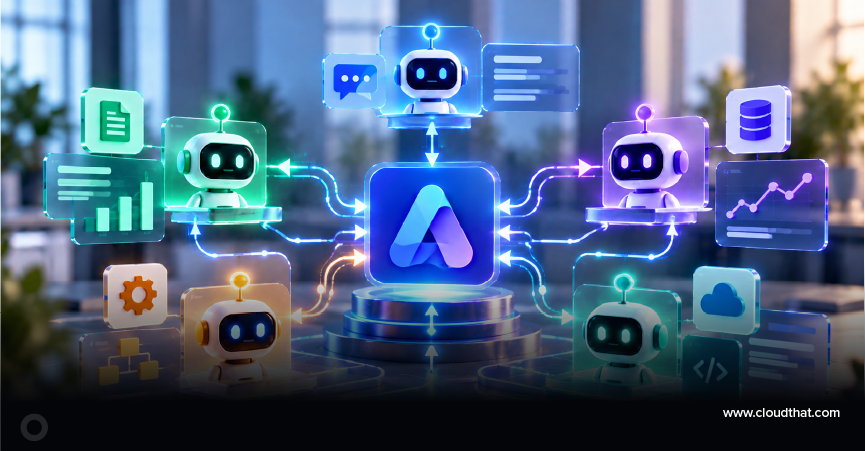
A multi-agent architecture uses several specialized AI agents, coordinated by an orchestrator, to complete a complex workflow. This article explains the core architecture, Azure services, governance controls, implementation considerations, and enterprise scenarios for building this pattern with the Microsoft Agent Framework. It is written for Azure architects, AI developers, and technology leaders evaluating agentic AI solutions on Azure.
Start Learning In-Demand Tech Skills with Expert-Led Training
- Industry-Authorized Curriculum
- Expert-led Training
What is a multi-agent architecture?
A multi-agent architecture is a system in which multiple AI agents collaborate to solve a problem instead of relying on a single agent. Each agent has a defined responsibility, while an orchestrator coordinates tasks, routes requests, and combines outputs into a final result.
In enterprise environments, different activities often require different capabilities. A retrieval agent may gather information, an analytics agent may perform reasoning, a compliance agent may validate policy requirements, and an action agent may update business systems. Separating responsibilities can improve maintainability and make it easier to govern agent behavior. Rather than presenting these outcomes as guaranteed benefits, they are common architectural goals when organizations adopt a multi-agent design.
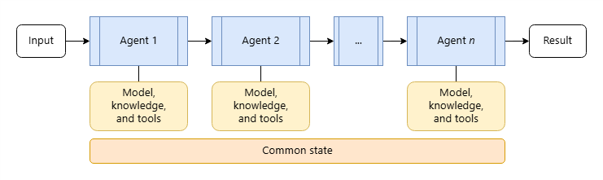
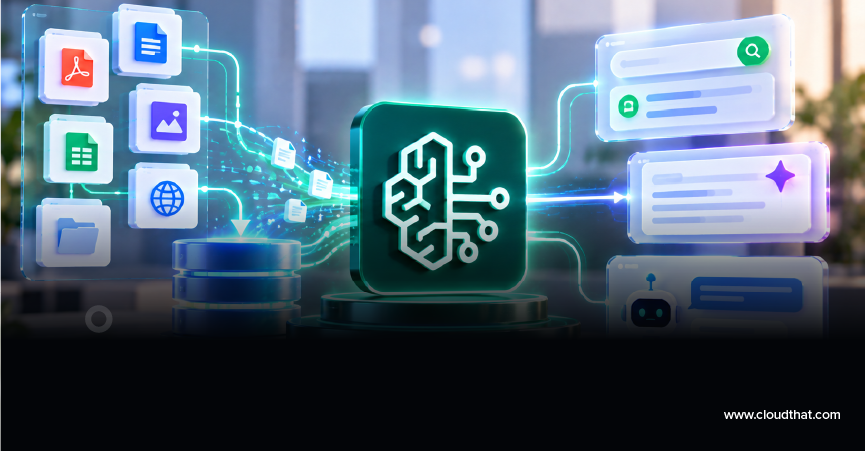
Fig 1: Multi-Agent Orchestration Pattern
How does Microsoft Agent Framework orchestrate multiple agents?
Microsoft Agent Framework provides a structured way to coordinate specialized agents. An orchestrator agent receives a request, determines which agents are required, manages hand-offs, and tracks workflow progress.
Consider an employee asking, ‘Can you approve this supplier purchase request?’ The orchestrator identifies the intent and sends the request to a knowledge agent to retrieve procurement policies. The result is passed to an analytics agent that evaluates the request. A compliance agent checks governance requirements and approval thresholds. Finally, an action agent submits the request to an ERP system if all conditions are satisfied. Human approval can be inserted before the final action when required.
This hand-off pattern allows each agent to focus on a narrow responsibility while maintaining a coordinated end-to-end workflow.
Which Azure services support a multi-agent architecture?
Several Azure services can be combined to support enterprise-grade multi-agent solutions. The exact design depends on business requirements, security controls, and scalability targets.
• Azure OpenAI provides large language model capabilities.
• Azure AI Search supports retrieval-augmented generation (RAG), which means agents can retrieve trusted enterprise information before generating responses.
• Azure Container Apps and Azure Kubernetes Service (AKS) host and scale agent workloads.
• Microsoft Fabric can provide analytics and reporting capabilities.
• Azure Monitor and Application Insights collect telemetry, logs, and performance data.
• Microsoft Entra ID provides identity, authentication, and access control.
These services form a common reference architecture, but organizations should select components based on their specific operational requirements.
When should an organization use multiple agents rather than one?
A multi-agent approach is most useful when a workflow requires different types of expertise, multiple decision points, or integration with several systems. Simpler use cases may be better served by a single agent because they are easier to develop, test, and maintain.
Organizations should consider multiple agents when:
• Different tasks require different skills or data sources.
• Governance reviews must occur before actions are executed.
• Multiple business systems participate in a workflow.
• Teams need independent scaling of specific capabilities.
• Human approvals must be inserted at specific stages.
A single-agent model can remain the preferred option for straightforward information retrieval or simple conversational experiences.
End-to-end enterprise example
Imagine an insurance claims workflow. A customer submits a claim through a portal. The orchestrator agent receives the request and coordinates a series of specialized agents.
First, a document agent extracts information from uploaded forms. Next, a knowledge agent retrieves policy information. An analytics agent evaluates claim details and identifies potential risks. A compliance agent validates regulatory requirements. If the claim exceeds a predefined threshold, a human reviewer is asked to approve the decision. Finally, an action agent updates the claims platform and notifies the customer.
This example demonstrates how orchestration, agent hand-offs, governance checks, and human oversight can work together within a single business process.
How do you secure and govern enterprise AI agents?
Security and governance should be designed into the architecture from the beginning. Multi-agent systems often access sensitive information and business processes, making governance a critical requirement rather than an optional enhancement.
Recommended practices include:
• Use Microsoft Entra ID for authentication and role-based access control.
• Limit agent permissions according to the principle of least privilege.
• Maintain audit trails for important decisions and actions.
• Monitor agent behavior through Azure Monitor and Application Insights.
• Establish approval workflows for high-risk operations.
• Apply Responsible AI guardrails to reduce harmful, inaccurate, or unauthorized outputs.
Governance should also define ownership, escalation procedures, data retention requirements, and acceptable-use policies.
How can multi-agent workloads scale on Azure?
Multi-agent workloads can scale by allowing individual agents to expand independently according to demand. This approach helps organizations allocate resources more efficiently than scaling every component equally.
Azure Container Apps and AKS support elastic scaling. Event-driven architectures can reduce bottlenecks by processing requests asynchronously. Monitoring data helps identify overloaded agents, latency issues, and workflow failures. Performance testing should validate orchestration logic under realistic workloads before production deployment.
Scalability is not only about throughput. Reliability, observability, and recovery mechanisms are equally important when operating enterprise AI systems.
What implementation challenges should teams expect?
Organizations frequently underestimate operational complexity when moving from prototypes to production systems. Common challenges include unclear agent responsibilities, excessive agent-to-agent communication, inconsistent data quality, and insufficient monitoring.
Additional failure points include:
• Poor routing logic that sends requests to the wrong agent.
• Missing governance controls for business-critical actions.
• Inadequate testing of edge cases.
• Lack of visibility into agent decisions.
• Unclear ownership between development and operations teams.
A practical approach is to start with a limited workflow, validate business outcomes, and expand gradually.
Which skills help teams implement multi-agent solutions?
Technical skills remain important for successful adoption. Learning courses such as AI-102, AI-200, AZ-305, and Microsoft Azure AI learning paths can help teams understand AI services, application integration, architecture design, and governance concepts.
Training should be combined with hands-on experimentation, architecture reviews, and operational readiness exercises. Building internal expertise often improves long-term adoption success.
What is a practical adoption checklist one can follow?
Before building a multi-agent solution, organizations should:
• Identify a workflow that genuinely requires multiple specialized decisions.
• Define each agent’s responsibility and success criteria.
• Design orchestration and routing logic.
• Document security and governance requirements.
• Establish human approval points for high-risk actions.
• Implement monitoring, logging, and auditing.
• Test failure scenarios and recovery processes.
• Measure business outcomes against predefined metrics.
This checklist can help reduce implementation risk while improving clarity across stakeholders.
Choosing the Right Algorithm
Multi-agent architectures built with Microsoft Agent Framework enable organizations to divide complex AI workflows among specialized agents while maintaining centralized orchestration, governance, and control. This approach can make enterprise AI solutions more modular, maintainable, and scalable than relying on a single agent to handle all responsibilities.
The key to successful adoption is to start with the business workflow rather than technology. Identifying a scenario that genuinely requires multiple specialized decisions, clearly defining each agent’s responsibilities and orchestration logic, establishing the necessary approval and governance controls, and determining how success will be measured. With these foundations in place, we can select the appropriate Azure services and evolve the architecture as your requirements mature.
Upskill Your Teams with Enterprise-Ready Tech Training Programs
- Team-wide Customizable Programs
- Measurable Business Outcomes
About CloudThat
FAQs
1. Why choose multi-agent systems?
ANS: – Multi-agent systems can support specialization by assigning different responsibilities to different agents. They are most valuable when workflows involve multiple decisions, data sources, integrations, or governance checks.
2. Which Azure service is most important?
ANS: – There is no single most important service. Most enterprise implementations combine several services, including Azure OpenAI, Azure AI Search, identity controls, hosting platforms, and monitoring tools. The right combination depends on business requirements.
3. Can agents access enterprise systems?
ANS: – Yes. Agents can securely interact with enterprise applications through APIs, governed connectors, and identity controls such as Microsoft Entra ID. Access should be limited in accordance with approved security policies.


WRITTEN BY Kavya B.S
Kavya B.S is a Subject Matter Expert and MCT at CloudThat, specializing in Microsoft Azure. With 15 years of experience in training and academics, she has trained over 5,000 professionals to upskill in Architect, Administrator and Security. Known for simplifying complex concepts through real-world analogies, she brings deep technical knowledge and practical application into every learning experience. Kavya’s passion for teaching reflects in her unique approach to learning and development.


 PREV
PREV




Comments