

 Login
Login


 October 6, 2026
|
Voiced by Amazon Polly |
Introduction
Repeating the same brief in every AI conversation creates avoidable work. A missed requirement, an outdated file or an unsupported assumption can then carry into the final output. Claude Projects bring related conversations, reference material and project instructions into a dedicated workspace, helping you reuse context across connected tasks.
The useful starting point is a clear separation: instructions define how to work, reference files establish the evidence, and each task prompt defines the immediate deliverable. This guide explains how to build that structure, test it and maintain it as your work changes.
Master Claude AI for Next-Gen Applications
- Prompt Engineering
- Claude API
- Secure AI Development
Key Takeaways
- Keep reusable rules in project instructions and approved reference material in project knowledge.
- Give each project a specific purpose and maintain a clear record of which files are current.
- Test missing information and conflicting sources before trusting a recurring workflow.
- Treat project memory as helpful continuity, while keeping approved decisions in a maintained reference file.
- Use separate task prompts for each deliverable and review outputs before sharing them.
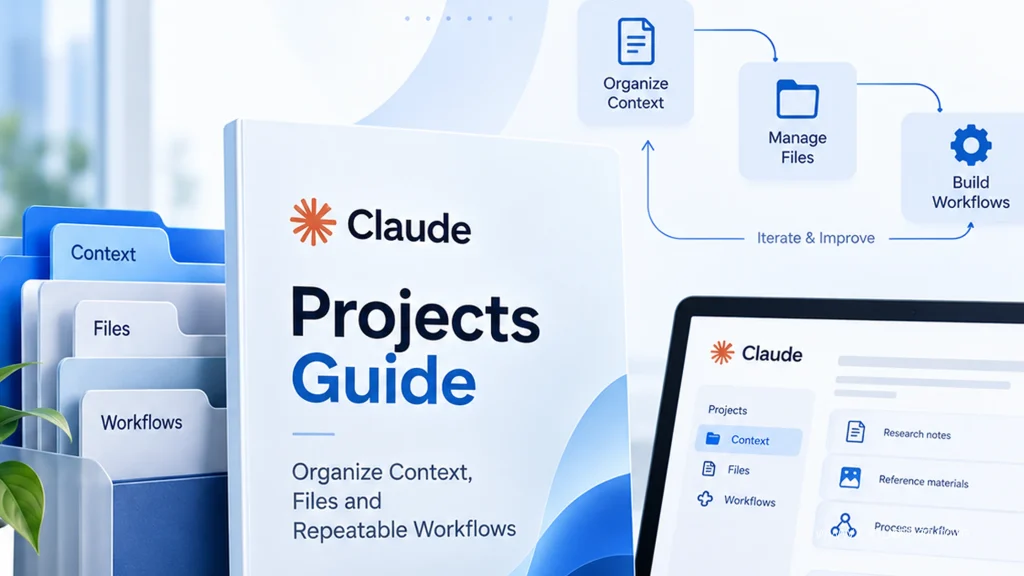
What Are Claude Projects, and Which Version Does This Guide Cover?
Claude Projects are workspaces for related chats, knowledge and instructions. They suit recurring work that depends on a consistent brief, such as reviewing documents or preparing reports.
This guide covers the established chat Projects workflow. As checked in September 2026, Anthropic also describes a new Projects beta, initially rolling out to selected Claude Code users. Its parallel cloud threads differ from the existing workflow. Consult Anthropic’s Projects overview to identify which experience your account has.
For your own setup, choose a narrow purpose. “Customer Onboarding Documentation” gives you a clearer boundary than “All Company Work.” Separate projects when the audience, approved evidence or access requirements differ. Keeping unrelated work together makes it harder to decide which source or instruction applies.
A project should have an owner and an expected output before it has a large file collection.
How Should You Organize Context Before Uploading Files?
Separate your material by its role in the workflow. This makes updates easier and gives you a practical way to diagnose an incorrect answer.
| Layer | What Belongs Here | Example |
| Project instructions | Stable working rules | Use approved terminology and flag unsupported claims. |
| Project knowledge | Reusable reference material | Current product brief, glossary and approved template. |
| Task prompt | Requirements for this output | Prepare a customer summary from the attached meeting notes. |
| Reviewed decision record | Decisions approved for future reuse | Current scope, owner and unresolved questions. |
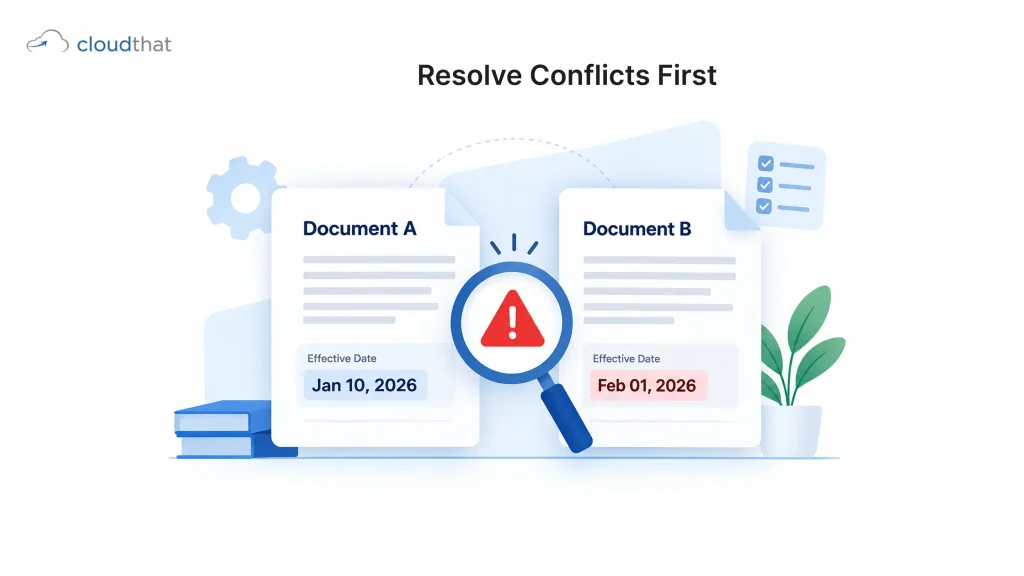
Give reference files descriptive names, such as Product-Brief-Approved-2026-09. Inside each file, record its owner, effective date and status. A filename alone should not decide whether a source is authoritative.
Remove superseded copies from the active knowledge set once you have preserved them in your normal document repository. If two current documents disagree, resolve the conflict with their owners. Asking Claude to guess which policy is correct simply transfers an unresolved business decision into an AI output.
How Do You Set Up Your First Project?
Create a small project around one recurring task, then verify that the reference material is usable before adding more files. Anthropic’s project setup instructions describe the current controls.
- Open Projects and select the option to create a new project.
- Add a recognizable name and description. Put essential operational context in the instructions or reference files as well.
- Check visibility settings where your plan provides them.
- Add a short approved brief and the references needed for your first task to project knowledge.
- Save project instructions covering scope, sources, output format and missing information.
- Start a conversation inside the project and test a question with a known answer.
For that test, ask Claude to identify the supporting file and section. Open the source yourself and compare the answer. Next, ask about something deliberately absent from the references. The useful response identifies the gap instead of filling it with an assumption.
What Should You Put in Project Instructions?
Project instructions should specify recurring decisions, not contain every detail of every assignment. Keep temporary deadlines and individual deliverable requirements in the task prompt.
The following is an illustrative template for a documentation project:
Purpose: Help prepare customer onboarding documentation from approved project references.
Audience: Customer success staff and new customers. Use professional, plain language.
Evidence: Use approved reference files for product capabilities and process requirements. Identify the supporting file and section for factual claims.
Conflicts: If sources disagree, show the disagreement and ask which source governs. Do not resolve it by guessing.
Missing information: Label unknown details clearly. Do not invent dates, commitments, prices or product features.
Output: Follow the requested template. Separate the draft from questions that need human review.
Test the instructions against an ordinary assignment and an ambiguous one. If the format fails repeatedly, simplify the instruction or supply a reviewed example. Adding more rules without removing contradictions can make the underlying problem harder to find.
How Do You Build a Repeatable Workflow?
A repeatable workflow needs consistent inputs, a defined output and an explicit review step. Saving a long prompt is only part of the process.
Consider an illustrative customer onboarding workflow. You want to turn meeting notes into a summary that reflects an approved service scope. The following sequence keeps the draft traceable:
- Confirm the approved scope document and output template are current.
- Start a task conversation and provide the meeting notes.
- Ask for commitments, dependencies and unanswered questions before requesting polished prose.
- Compare each proposed commitment with the approved scope.
- Request the summary using the reviewed findings.
- Check names, dates and commitments before sharing it.
- Add only approved decisions to the maintained decision record.
A reusable task prompt could read: “Prepare an onboarding summary from these notes. Check commitments against Approved-Scope. Return the draft, supporting references and unresolved questions. Do not add commitments absent from the approved material.”
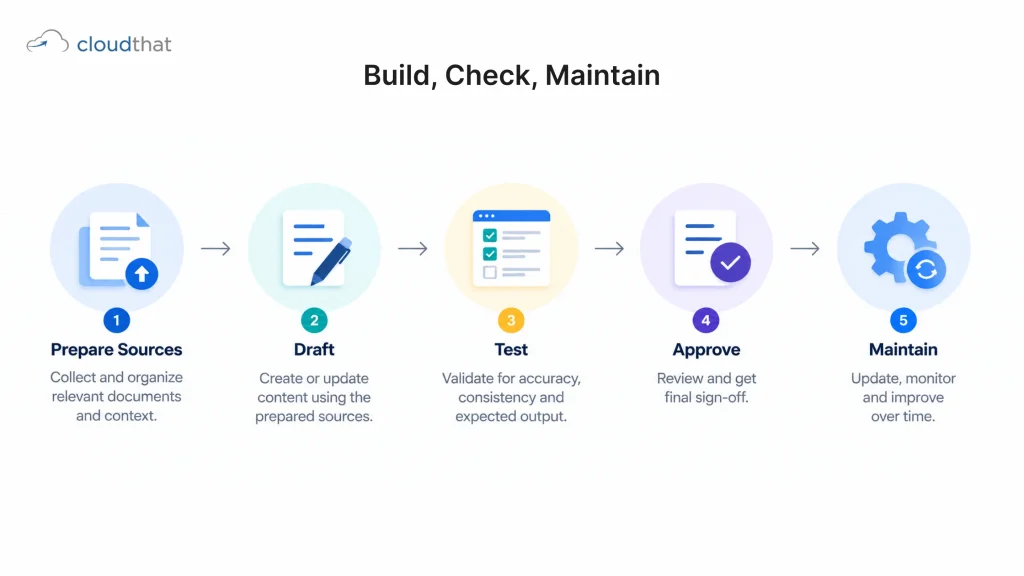
How Do You Test Whether the Workflow Is Reliable?
Test failure cases as deliberately as normal work. These suggested checks assess the workflow; they are not a vendor benchmark or a guarantee of accuracy.
- Known answer: Does the result agree with a fact you can locate in the reference?
- Missing fact: Does Claude identify an absent deadline or owner?
- Conflicting sources: Does it report different values rather than silently choosing one?
- Superseded file: Does it avoid an archived requirement after you update the active sources?
- New conversation: Can you reproduce the required format without rebuilding the brief?
Record the failure, the source involved and the correction. If errors come from outdated documents, fix the documents. If the evidence is correct but the output omits required fields, fix the prompt or template. This distinction prevents repeated prompt rewriting from disguising a source quality problem.
Does Claude Remember Other Project Conversations?
Claude can use memory and chat search, but these capabilities should not be treated as an approved decision register. Anthropic’s memory and chat search documentation describes separate project memory and project summaries, with availability and controls depending on the feature and account settings.
For repeatable work, distinguish conversational continuity from evidence. A remembered preference may help Claude choose a writing style. A customer commitment should remain traceable to an approved source.
After a useful discussion, ask for a short proposed decision record: what changed, why, who must approve it and which existing reference needs updating. Review that record before adding it to project knowledge.
If a new chat appears unaware of an earlier decision, inspect the relevant memory settings and provide the approved decision explicitly. Avoid solving the problem by uploading an entire unreviewed conversation full of exploratory ideas and rejected options.
What Changes When Project Knowledge Uses RAG?
Retrieval augmented generation, or RAG, allows Claude to search project knowledge for relevant material instead of placing all uploaded content into context at once. Anthropic documents automatic project RAG on paid plans as knowledge approaches context limits.
The practical implication is to make important information easy to locate. Use descriptive headings, consistent terminology and clearly named documents. When asking a precise question, name the relevant file or section rather than saying “use everything.”
Distinguish focused retrieval from exhaustive review. Finding a clause in one document is different from checking whether every document contains a required clause. For an exhaustive task, request a document inventory and a result for each item, then verify coverage against your own file list.
More available knowledge does not remove the need to check evidence. A plausible answer with a source reference can still misread a condition or overlook an exception.
How Should Teams Share and Maintain Projects?
Teams should assign responsibility for knowledge, instructions and output review before expanding access. Anthropic documents project sharing and view or edit permissions for Team and Enterprise accounts, subject to organizational controls.
Use the narrowest access suitable for the task. Someone preparing a draft may need reference access without needing permission to change the working rules. Confirm sharing settings in the actual account before uploading internal material.
Maintain a short operating checklist:
- Name the owner responsible for keeping each reference current.
- Define who can change project instructions.
- Review active files when a policy or product changes.
- Keep credentials and unnecessary personal information out of task examples.
- Assign a person to approve externally shared outputs.
For a pilot, choose a bounded task with an output that reviewers understand. Compare correction effort and source accuracy across several runs. Do not expand usage based only on how quickly the first draft appears.
Which Problems Should You Fix First?
Fix problems in order of their potential impact: inappropriate access, incorrect evidence, unsupported conclusions and then formatting. A polished answer is not useful if it contains the wrong commitment.
If Claude cites outdated information, check the active references and remove obsolete versions. If it invents a missing value, make the uncertainty rule explicit and rerun the missing fact test. If the answer combines unrelated contexts, narrow the project’s purpose and reference set.
When the required format changes between tasks, supply a reviewed output template and name it in the prompt. When a document appears to be ignored, check that its text is readable, then ask a focused question about a specific section.
Finally, review updates to memory as well as files where remembered context appears to conflict with the approved brief. Correcting only one source of context may leave the contradiction in place.
When Is Structured Training Useful?
Training becomes useful when the difficulty moves from operating the interface to designing a process that other people can repeat. Look for practice in context selection, prompt testing, source review and responsible handling of business information.
CloudThat offers Claude-focused training options covering professional use of Claude. For broader prompt design practice, its effective prompting course uses Google Cloud models, so assess it as transferable prompting training rather than a Claude-specific course.
If you are evaluating learning for a team, write down the workflow you want employees to perform and the checks they must demonstrate. Bring that brief when reviewing corporate training options. Confirm the proposed syllabus, tools and exercises before selecting a program.
The goal is a team that can identify a weak source, explain an unsupported answer and improve the workflow independently.
Conclusion
Choose one recurring task and assemble only the references it requires. Write the working rules, run a known answer test, and deliberately test a missing fact before using the output outside your team.
For your next step, review CloudThat’s Claude training curriculum options against the workflow you want to build. Select learning that helps you test and maintain the process, not simply reproduce a demonstration.
Advance Your AI Career with Claude AI
- Enterprise AI Skills
- Claude API
- AI Assistants
About CloudThat
FAQs
1. Are Claude Projects Available on the Free Plan?
ANS: – Yes. Anthropic’s current setup guidance says free users can create up to five projects. Paid features and usage allowances differ, so check your account before planning a team rollout.
2. What Is the Difference Between a Project and a Regular Chat?
ANS: – A project groups related work with reusable knowledge and instructions. A regular chat is suitable for a standalone task that does not need the same maintained reference set across assignments.
3. Which Files Should I Add to Claude AI Projects?
ANS: – Add approved material that multiple tasks will need, such as a product brief, glossary, scope document or output template. Keep temporary task inputs separate from reusable references, and check supported upload formats in your account.
4. Do Project Instructions Apply Across the Project?
ANS: – Yes. Project instructions guide chats within that project. Keep the rules clear and test whether the resulting output follows them, because an instruction is not a guarantee of compliance.
5. Will Claude Remember Everything From Every Project Chat?
ANS: – Do not assume it will preserve every detail. Memory and chat search support continuity, but approved requirements should remain in a maintained reference. Review the memory settings available to your account.
6. Does Creating a Project Automatically Schedule My Work?
ANS: – Creating a workspace alone does not establish a schedule or a complete automation. Define the recurring task and review process first, then assess the relevant scheduling or execution features separately for your Claude experience.
7. Can Colleagues Use the Same Project?
ANS: – Shared projects are supported on Team and Enterprise plans, with permissions and organizational controls. Verify who can view the knowledge and who can edit instructions before introducing internal documents.

WRITTEN BY Himisha Raval
Himisha Raval is a Digital Marketing Manager at CloudThat with a strong command of search engine optimization, web analytics, link building, and content strategy. She brings a data-driven approach to digital marketing, helping IT companies strengthen their online presence, improve search rankings, and generate consistent leads across channels. Beyond execution, she plays an active role in ideation, campaign strategy, and website performance optimization. Outside of work, she balances her analytical side with a love for travel, nature painting, and dancing.


 PREV
PREV











Comments